



Modern offices are no longer built around passive presentations. Teams brainstorm across locations, clients join remotely, files move between laptops and cloud platforms, and meetings need to start quickly without cables, adapters, or technical delays.
That is why more businesses are replacing traditional meeting room setups with a smart board for office use.
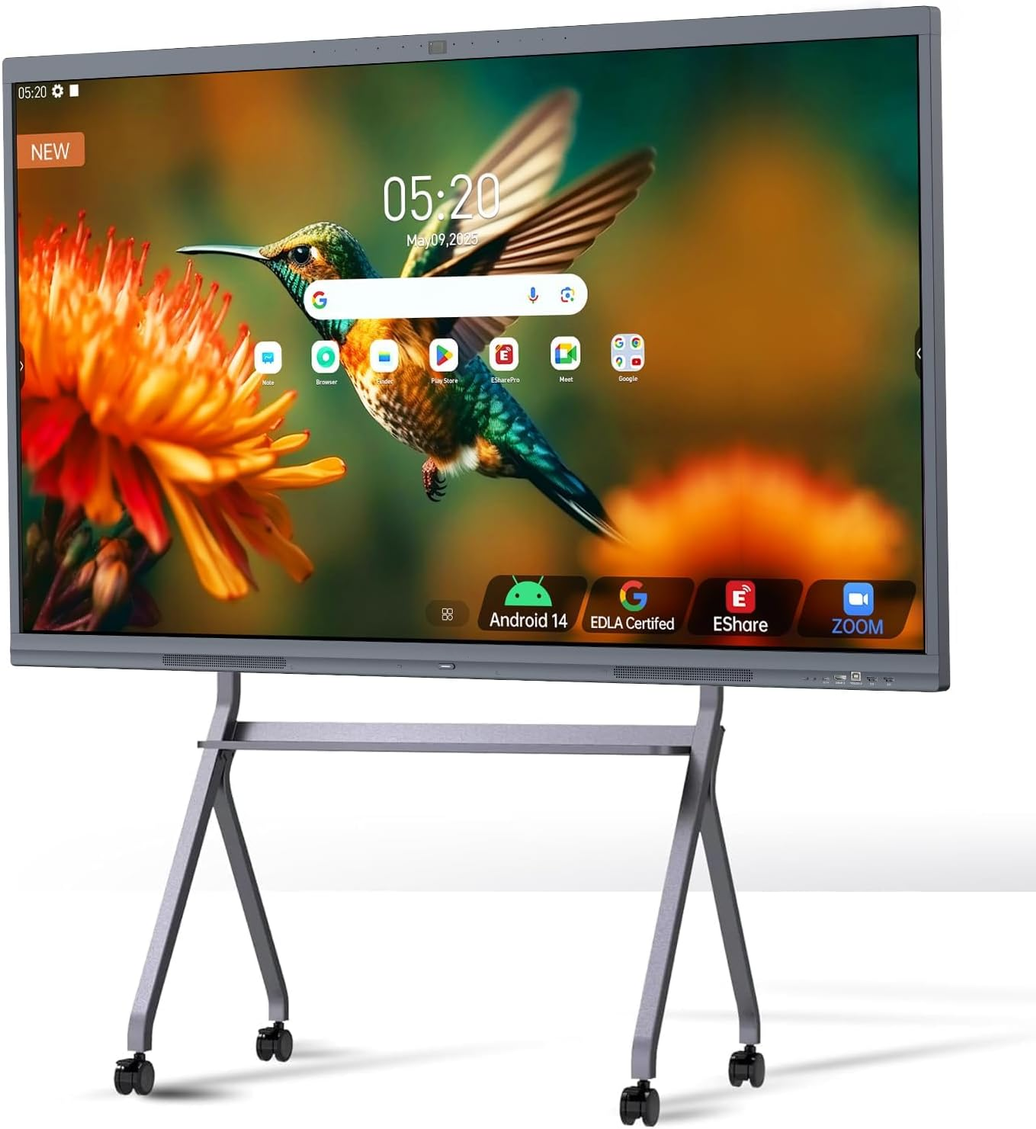
A smart board, also known as an interactive display, interactive whiteboard, or all-in-one meeting board, combines a touchscreen display, digital whiteboard, wireless screen sharing, video conferencing, and collaboration tools into one device. Instead of using a separate TV, projector, camera, microphone, speaker, whiteboard, and computer, companies can centralize communication on a single interactive display.
But not every smart board is built for business. Some are designed mainly for classrooms. Others look like standard TVs with touch added. For offices, the right choice depends on meeting room size, collaboration style, software compatibility, setup needs, and long-term maintenance.
This 2026 buying guide explains what to look for before choosing a smart board for your office.
What Is a Smart Board for Office Use?
A smart board for office use is a large interactive touchscreen designed for meetings, presentations, brainstorming, video calls, and team collaboration. It allows users to write, draw, annotate, share screens, open files, join video meetings, and save meeting content directly from the display.
In a business environment, a smart board is commonly used in:
-
Meeting rooms
-
Huddle rooms
-
Executive boardrooms
-
Training rooms
-
Hybrid collaboration spaces
-
Project review rooms
-
Design studios
-
Command centers
-
Client presentation rooms
Unlike a standard office TV, a smart board is interactive. Users can touch the screen, write with a stylus, move content, annotate documents, and collaborate in real time. Unlike a traditional whiteboard, it can save, share, and continue work digitally after the meeting ends.
The best office smart boards are not just displays. They function as a central collaboration hub.

Why Offices Are Switching to Smart Boards in 2026
Office work has changed. Meetings now involve a mix of in-room participants, remote employees, clients, contractors, and shared cloud documents. Traditional meeting room setups often create friction because they rely on too many disconnected tools.
A typical traditional setup may include:
-
A TV or projector
-
A separate whiteboard
-
A conference camera
-
External microphones
-
Speakers
-
HDMI cables
-
Adapters
-
A room computer
-
Third-party screen sharing tools
This setup can work, but it often creates delays. Someone needs to connect a laptop, adjust the camera, find the right cable, launch the meeting platform, switch inputs, and share the right screen. When meetings happen every day, those small delays add up.
A smart board reduces that friction by bringing core meeting tools into one device.
For modern offices, the main advantages include:
-
Faster meeting setup
-
Cleaner meeting room design
-
Better hybrid collaboration
-
Real-time annotation
-
Wireless screen sharing
-
Fewer cables and accessories
-
Improved visibility for presentations
-
Easier brainstorming
-
Lower long-term maintenance complexity
In 2026, the best office meeting spaces are not only about appearance. They are designed for speed, clarity, and collaboration.
Smart Board vs TV vs Projector: What Is the Difference?
Many offices ask whether they really need a smart board or whether a standard TV or projector is enough. The answer depends on how your team uses the room.
A TV is good for passive viewing. It works well when the goal is simply to show slides, videos, or dashboards. However, a TV does not provide built-in writing, touch interaction, whiteboarding, or collaborative annotation.
A projector can create a large image, but it often depends on lighting conditions, projection distance, calibration, bulbs, and external audio or camera systems. It is also less convenient for touch-based collaboration.
A smart board is designed for active meetings. It allows participants to present, write, annotate, discuss, edit, and share ideas from the same screen.
| Feature | Standard TV | Projector | Office Smart Board |
|---|---|---|---|
| Touch interaction | No | Usually no | Yes |
| Digital whiteboarding | No | No | Yes |
| Wireless sharing | Sometimes | Usually external | Usually built in |
| Video conferencing | External camera needed | External camera needed | Often integrated or supported |
| Annotation | No | Limited | Yes |
| Meeting setup | Medium | Complex | Simple |
| Best for | Passive viewing | Large display | Collaboration |
If your meetings are mostly one-way presentations, a TV may be enough. If your team brainstorms, reviews documents, joins hybrid meetings, trains employees, or works with clients, a smart board is a stronger choice.
Key Features to Look for in an Office Smart Board
Choosing the right smart board for office use requires more than checking screen size. A good business smart board should support the way your team actually works.
1. Display Size
Screen size is one of the first decisions. The right size depends on room size, viewing distance, and the number of participants.
Common office smart board sizes include:
-
55 inch: Best for huddle rooms, private offices, and small team spaces
-
65 inch: Best for small to medium meeting rooms
-
75 inch: Best for standard conference rooms and training rooms
-
86 inch: Best for boardrooms, large meeting rooms, and executive spaces
For small rooms with 2 to 4 people, a 55-inch display may be enough. For medium rooms with 6 to 10 people, a 65-inch or 75-inch smart board usually provides better visibility. For boardrooms, command centers, or large collaboration spaces, an 86-inch display creates a more professional and immersive experience.
A common mistake is choosing a screen that is too small. If participants at the back of the room cannot clearly read spreadsheets, diagrams, or presentation text, the display will not support effective collaboration.
2. 4K Resolution
For office use, 4K resolution is highly recommended. Business meetings often involve detailed content such as:
-
Financial reports
-
Product roadmaps
-
Engineering drawings
-
Website designs
-
Strategy documents
-
Data dashboards
-
Project timelines
-
Client presentations
A 4K UHD smart board provides sharper text, clearer images, and better visibility across the room. This is especially important for larger screens, where lower resolution can make documents look soft or difficult to read.
3. Touch Accuracy and Writing Experience
A smart board should feel natural to write on. If there is noticeable lag between the pen and the screen, users may stop using the whiteboard function altogether.
Look for:
-
Smooth touch response
-
Low writing latency
-
Multi-touch support
-
Palm rejection
-
Accurate stylus input
-
Easy erasing and annotation tools
For business meetings, 20-point multi-touch is usually enough for multiple participants to interact at the same time. It allows team members to write, move objects, and collaborate without taking turns one by one.
4. Wireless Screen Sharing
Wireless screen sharing is one of the most important features for office smart boards.
A good smart board should allow users to cast content from:
-
Windows laptops
-
MacBooks
-
iPads
-
iPhones
-
Android devices
-
Chromebooks
The goal is to reduce cable dependency. In a meeting room, every minute spent looking for an HDMI adapter is wasted time. Wireless sharing makes it easier for employees, clients, and guests to present without complicated setup.
For offices with mixed devices, make sure the smart board supports common casting methods or has reliable screen sharing software.
5. Video Conferencing Compatibility
A smart board for office use should work smoothly with the meeting platforms your team already uses.
Common platforms include:
-
Microsoft Teams
-
Zoom
-
Google Meet
-
Webex
Some smart boards include built-in cameras, microphones, and speakers. Others support external conferencing devices. For hybrid offices, the key is making remote participants feel included.
Look for features such as:
-
High-quality camera support
-
Clear microphone pickup
-
Speaker integration
-
Auto-framing
-
Noise reduction
-
Easy meeting launch
-
Stable app performance
A smart board should not make video meetings harder. It should make them faster, cleaner, and more natural.
6. Built-In Whiteboarding Software
The digital whiteboard is one of the biggest reasons to choose a smart board over a TV.
Useful whiteboard features include:
-
Free writing and drawing
-
Shapes and diagrams
-
Sticky notes
-
Image insertion
-
Document annotation
-
Screenshot capture
-
Saving meeting notes
-
Sharing by email or QR code
-
Cloud storage support
For office teams, the ability to save and share meeting content is important. A traditional whiteboard is easy to erase and forget. A digital whiteboard keeps ideas accessible after the meeting.
7. Operating System and App Support
Many smart boards include a built-in operating system, commonly Android, with the option to add a Windows OPS module. This gives businesses flexibility.
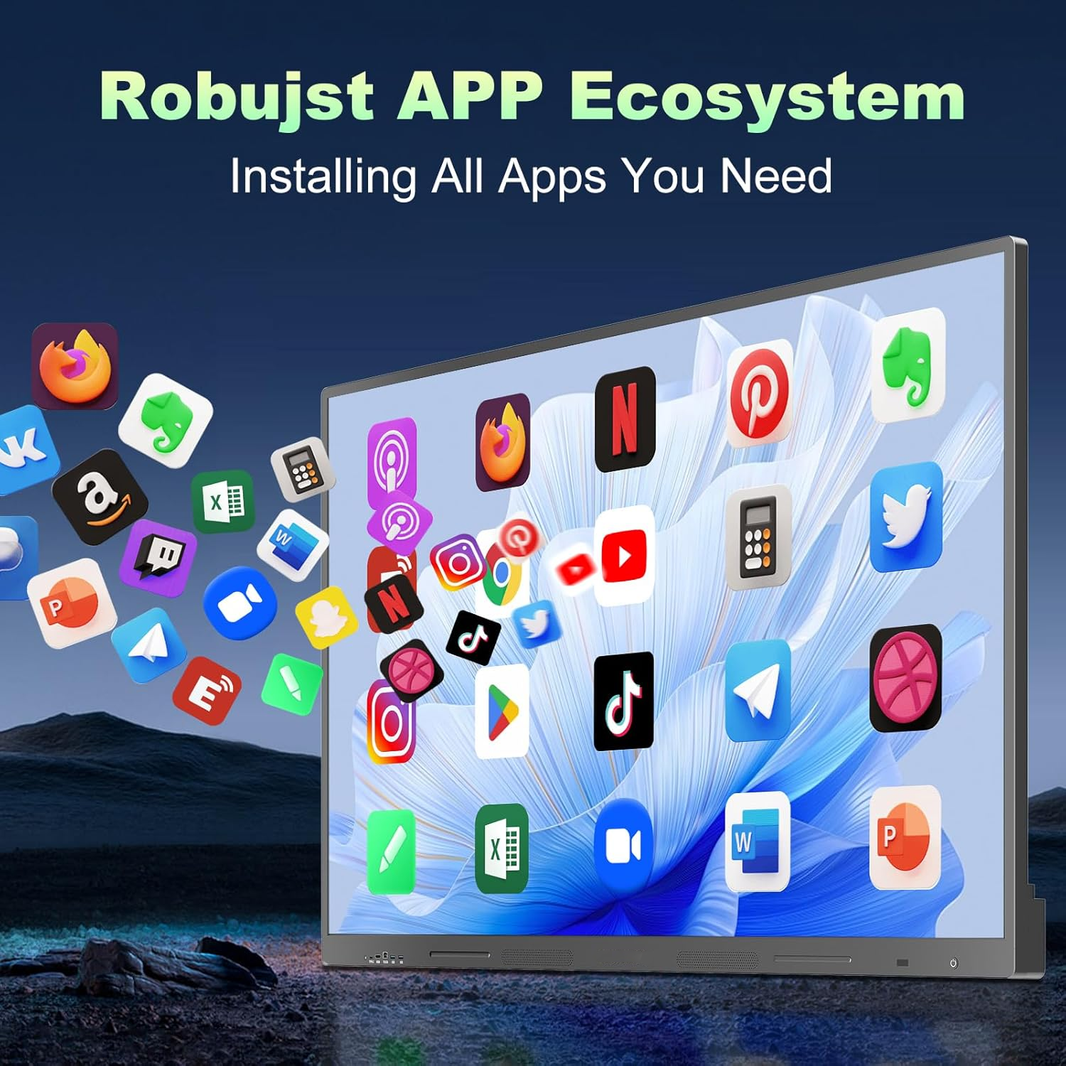
An Android-based system can support basic whiteboarding, browser use, file viewing, and apps without connecting a separate computer. A Windows OPS module can be useful when teams need desktop software, Microsoft Office workflows, or a more PC-like experience.
Before buying, check:
-
Does the display support your required apps?
-
Can users open files easily?
-
Does it work with your company’s cloud tools?
-
Does it support updates?
-
Is the interface simple enough for non-technical users?
The best smart board is not the one with the most features. It is the one employees will actually use.
8. Connectivity
Even with wireless sharing, physical ports still matter.
For office use, look for:
-
HDMI
-
USB-C
-
USB-A
-
LAN
-
Wi-Fi
-
Bluetooth
-
Audio input/output
-
OPS slot, if needed
USB-C is especially useful because it can simplify laptop connection. HDMI remains important for guest devices and backup connection. Reliable Wi-Fi and LAN support are important for cloud collaboration and stable video meetings.
9. Security and Device Management
For business environments, security matters. A smart board may connect to company files, meeting platforms, cloud accounts, and internal networks.
IT teams should consider:
-
User access control
-
Software update support
-
Network security
-
App installation permissions
-
Remote device management
-
Data clearing after meetings
-
Guest access settings
For companies deploying multiple smart boards across offices, remote management becomes more important. IT teams should be able to update settings, manage devices, and troubleshoot without physically visiting every room.
10. Installation and Room Design
A smart board should fit the physical design of the office.
Before buying, consider:
-
Wall mount or mobile stand
-
Room size
-
Viewing distance
-
Camera position
-
Cable routing
-
Power access
-
Lighting conditions
-
Table layout
-
User movement around the screen
Wall-mounted smart boards create a clean, permanent meeting room setup. Mobile stands provide flexibility for shared spaces, training rooms, and multi-use offices.
For executive rooms, design matters too. A smart board should look clean, modern, and professional, not like a temporary AV setup.

How to Choose the Right Smart Board Size for Your Office
Here is a simple size guide:
55-Inch Smart Board
Best for:
-
Huddle rooms
-
Small private offices
-
2 to 4 participants
-
Quick video calls
-
Compact spaces
A 55-inch smart board is space-saving and ideal for small collaboration areas. It works well when users sit close to the screen.
65-Inch Smart Board
Best for:
-
Small to medium meeting rooms
-
4 to 8 participants
-
Team discussions
-
Department meetings
A 65-inch smart board is a balanced choice for many offices. It provides more visibility than 55 inches without overwhelming the room.
75-Inch Smart Board
Best for:
-
Standard conference rooms
-
Training rooms
-
Workshops
-
8 to 12 participants
A 75-inch display is ideal when teams need to review slides, documents, diagrams, and dashboards together.
86-Inch Smart Board
Best for:
-
Boardrooms
-
Executive meeting spaces
-
Large conference rooms
-
Command centers
-
Strategy rooms
An 86-inch smart board creates a premium meeting experience and ensures that content remains visible across larger spaces.
Smart Board Buying Checklist for Offices
Before purchasing a smart board for your office, use this checklist:
-
What room size will it be used in?
-
How many people usually attend meetings?
-
Will the display be wall-mounted or mobile?
-
Do users need wireless screen sharing?
-
Does it support Windows, macOS, iOS, and Android devices?
-
Does it work with Teams, Zoom, Google Meet, or Webex?
-
Is 4K resolution included?
-
How many touch points does it support?
-
Does it include built-in whiteboarding software?
-
Can meeting notes be saved and shared?
-
Does it support USB-C and HDMI?
-
Does IT need remote device management?
-
Is the interface easy for employees to use?
-
What support and warranty are included?
-
What is the total cost over 3 to 5 years?
A smart board is not only a hardware purchase. It is part of your office collaboration system.
Common Mistakes to Avoid
Choosing Based on Price Only
A cheaper smart board may seem attractive at first, but hidden costs can appear later through poor software, limited compatibility, weak support, or frequent setup problems.
Buying a Display That Is Too Small
A small screen can make meetings less effective, especially when displaying spreadsheets, design files, or detailed presentations.
Ignoring Software Compatibility
If the smart board does not work smoothly with your meeting platforms and cloud tools, employees may avoid using it.
Overcomplicating the Setup
A smart board should simplify the room. If it requires too many accessories, cables, logins, or manual steps, it defeats the purpose.
Forgetting About IT Management
For one room, manual setup may be fine. For multiple rooms or offices, remote management and update control become much more important.
Why an All-in-One Smart Board Makes Sense for Modern Offices
The biggest advantage of an all-in-one office smart board is simplicity.
Instead of building a meeting room from multiple disconnected devices, businesses can create one central collaboration point. Employees can walk in, share a screen, write ideas, join a video call, review documents, and save meeting notes from the same display.
This improves:
-
Meeting speed
-
Room cleanliness
-
User experience
-
Remote collaboration
-
Presentation quality
-
Team engagement
-
Long-term scalability
For companies that want a modern workplace, the smart board is no longer just a nice upgrade. It is becoming a core meeting room tool.
JOYRAY Smart Boards for Office Collaboration
JOYRAY interactive displays are designed for modern offices, meeting rooms, and collaboration spaces. As an all-in-one interactive display solution, JOYRAY helps replace fragmented meeting tools with a cleaner and more efficient setup.
With options for different room sizes, JOYRAY smart boards are suitable for:
-
Huddle rooms
-
Medium meeting rooms
-
Conference rooms
-
Boardrooms
-
Training rooms
-
Hybrid workspaces
Key benefits include:
-
Interactive touch experience
-
Wireless screen sharing
-
4K visual clarity
-
Digital whiteboarding
-
Multi-user collaboration
-
Clean all-in-one setup
-
Professional design for modern offices
For small offices, a 55-inch or 65-inch display may be the right fit. For larger conference rooms and executive spaces, 75-inch and 86-inch options provide better visibility and a stronger presentation experience.
If your team wants fewer cables, faster meetings, and better collaboration, a JOYRAY smart board can help turn the office meeting room into a more productive workspace.

Choosing the best smart board for office use in 2026 is not just about buying a large touchscreen. It is about choosing a collaboration system that matches how your team works.
The right smart board should make meetings easier, not more complicated. It should support wireless sharing, digital whiteboarding, video conferencing, 4K clarity, reliable touch performance, and simple daily use.
Before buying, think about your room size, meeting style, software needs, installation plan, and long-term support. A well-chosen smart board can replace multiple tools, reduce setup time, and create a more professional hybrid collaboration experience.
For offices that want a cleaner, smarter, and more interactive meeting space, an all-in-one smart board is one of the most practical upgrades to consider in 2026.
FAQ
1. What is the best smart board for office use?
The best smart board for office use is one that combines 4K display quality, smooth touch performance, wireless screen sharing, digital whiteboarding, video conferencing support, and simple setup. The right size depends on your room: 55 inches for small spaces, 65 inches for medium rooms, 75 inches for conference rooms, and 86 inches for boardrooms.
2. Is a smart board better than a TV for office meetings?
Yes, if your team needs collaboration. A TV is mainly for viewing content, while a smart board allows users to write, annotate, share screens, join meetings, and save whiteboard notes. For interactive meetings, a smart board is more useful than a standard TV.
3. Can a smart board replace a projector?
In many offices, yes. A smart board can replace a projector, whiteboard, screen sharing device, and sometimes external conferencing equipment. It also avoids common projector issues such as low brightness, shadows, calibration, and lamp maintenance.
4. What size smart board do I need for a meeting room?
For huddle rooms, choose 55 inches. For small to medium meeting rooms, choose 65 inches. For standard conference rooms and training rooms, choose 75 inches. For large boardrooms and executive spaces, choose 86 inches.
5. Do office smart boards work with Zoom and Microsoft Teams?
Many modern smart boards support video conferencing platforms such as Zoom, Microsoft Teams, Google Meet, and Webex. Before purchasing, confirm whether the smart board supports your preferred platform directly or through a connected computer.
6. Do smart boards need a computer?
Not always. Many smart boards include a built-in operating system for whiteboarding, browsing, file viewing, and screen sharing. However, some businesses add a Windows OPS module or connect a laptop when they need full desktop software.
7. Are smart boards worth it for small businesses?
Yes, if the business holds frequent meetings, client presentations, hybrid calls, training sessions, or brainstorming workshops. A smart board can reduce setup time, improve presentation quality, and make collaboration more efficient.
8. How long does an office smart board last?
A commercial-grade smart board can typically be used for many years, depending on daily usage, environment, maintenance, and software support. Businesses should evaluate not only the hardware lifespan but also update support, warranty, and compatibility with future workplace tools.

Upgrade your meeting room with a JOYRAY all-in-one interactive display.
Explore JOYRAY smart boards for offices, conference rooms, and hybrid collaboration spaces — or contact our team to find the right size and setup for your workspace.
Leave a comment